| Webjags >> Main page Recent changes | Edit History | |
Data | ||
|---|---|---|
|
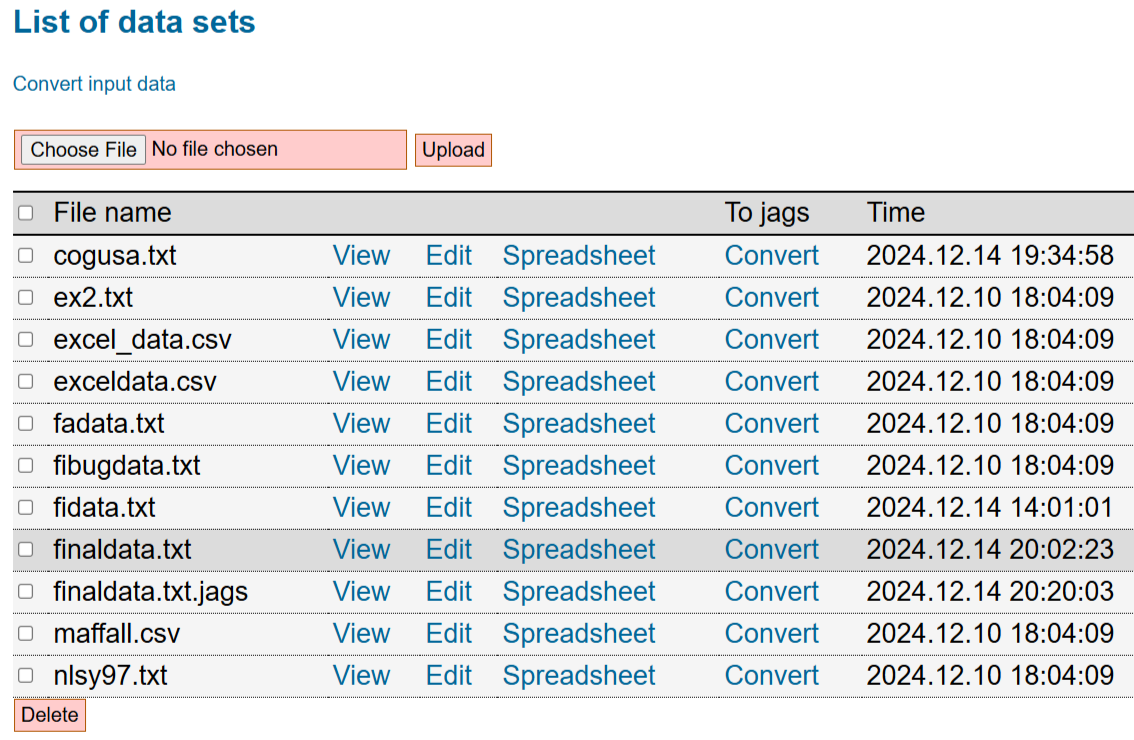
This revision is from 2024/12/14 21:12. You can Restore it. Data module (Edit)The data module can be accessed at http://webjags.psychstat.org/modules/data/. Using the data module, one can upload, delete, and view a list of data files. A captured screen with a list of data files is given below:
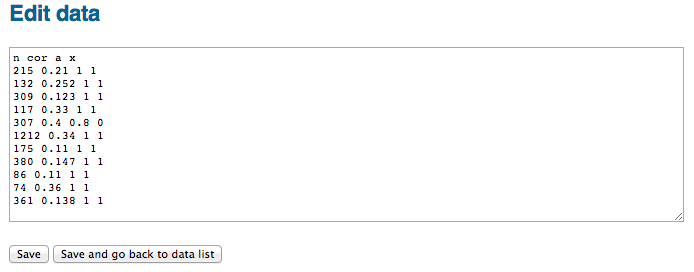
Upload data (Edit)To upload a file, one can first Choose or Browse the file on the local computer and then click the Upload button. If a file is uploaded successfully, it will be shown in the file list. Error information will be returned if upload fails. Only text file with .txt (space separated data file) or .csv (comma separated value file, preferred) is allowed. For other types of data, first convert it to .csv data. Edit data (Edit)As a text editor (Edit)By clicking on the Edit link in the data list, the content of the data file will be shown in a textarea for editing as shown in the figure below. The edit can be saved by clicking the button Save or Save and go back to data list.
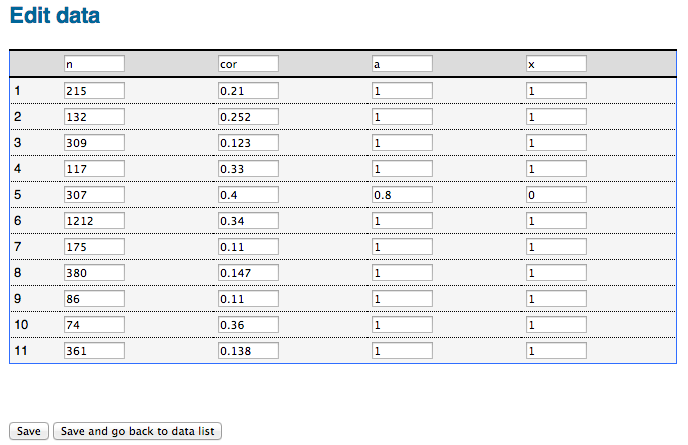
In spread sheet (Edit)If a data file has less than 200 rows of data, it can be edited in the spreadsheet mode as shown in the figure below. This mode allows the edit of individual elements.
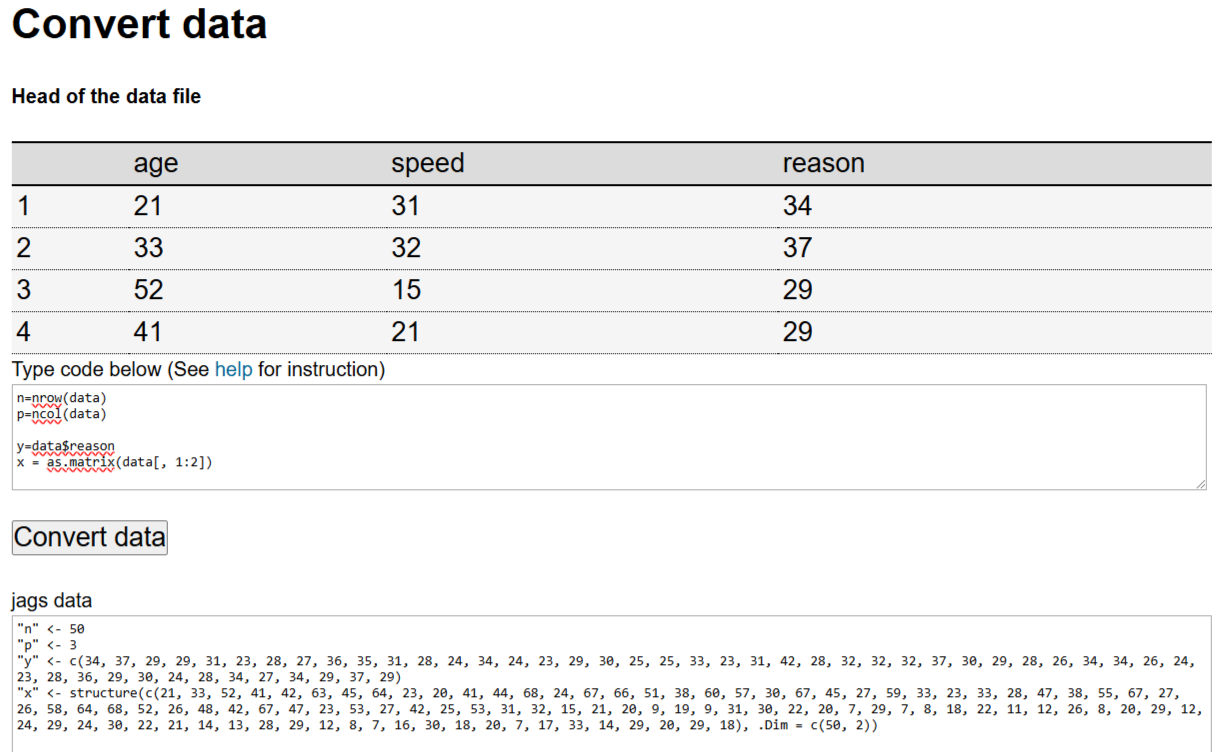
Convert data into jags format (Edit)A user can either convert data in a data file to jags data or convert data input in a text area. From existing data file (Edit)To convert a data file, click the link Convert. Then the screen below is shown. On the screen, a user can type in required data information for jags. Each row represents a piece of information. Any R data manipulation code can be used here. After input, one can click on Convert data. The jags format data are given in a textarea that can be further edited. Note that the default data set name is data can be used in the R code. For example, n = nrow(data) gets the sample size. Note that for matrices, one need to first convert the data.frame to matrix such as as.matrix(data, 1:2).
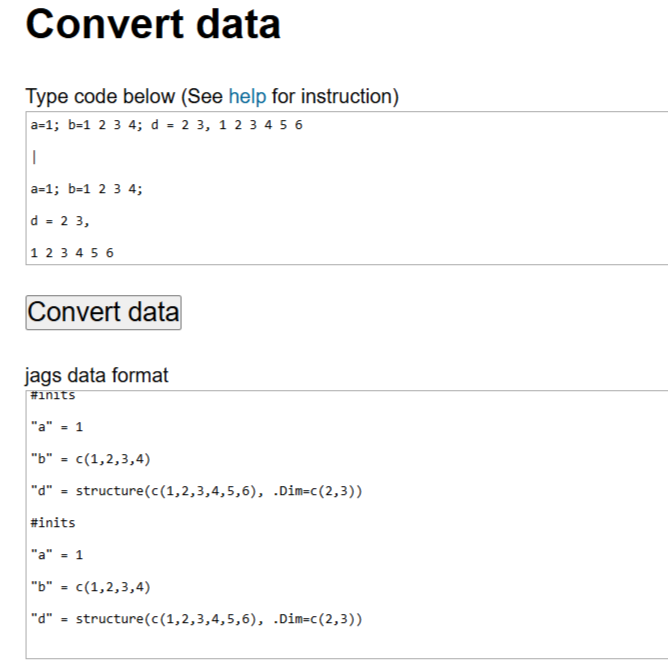
Input data directly (Edit)To input and convert data, one can use the app in the link: http://webjags.psychstat.org/modules/data/tobugs.php . Then a screen with a text area below is shown. In the text area, one can simply type the data.
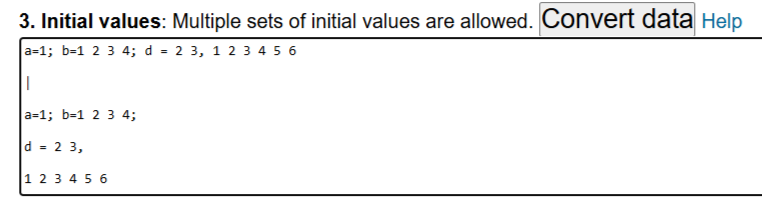
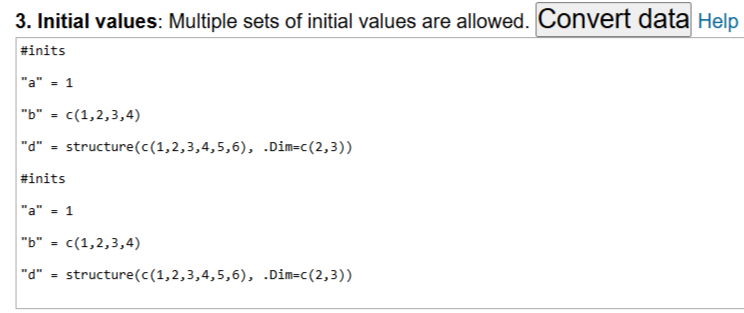
Convert data in place (Edit)jags data can also be converted when needed. In doing so, one can use the same method above but directly put data in place of data or initial values. For example, the screen below gives an example of inputing two sets of initial values in order to initializing two chains. Note that data for each chain are separated by vertical bar |. After input, one can click on the button Convert data. Then converted data will be shown as in the captured screen below.
|
||
| Powered by LionWiki. Last changed: 2024/12/15 02:12 Erase cookies | Edit History | |